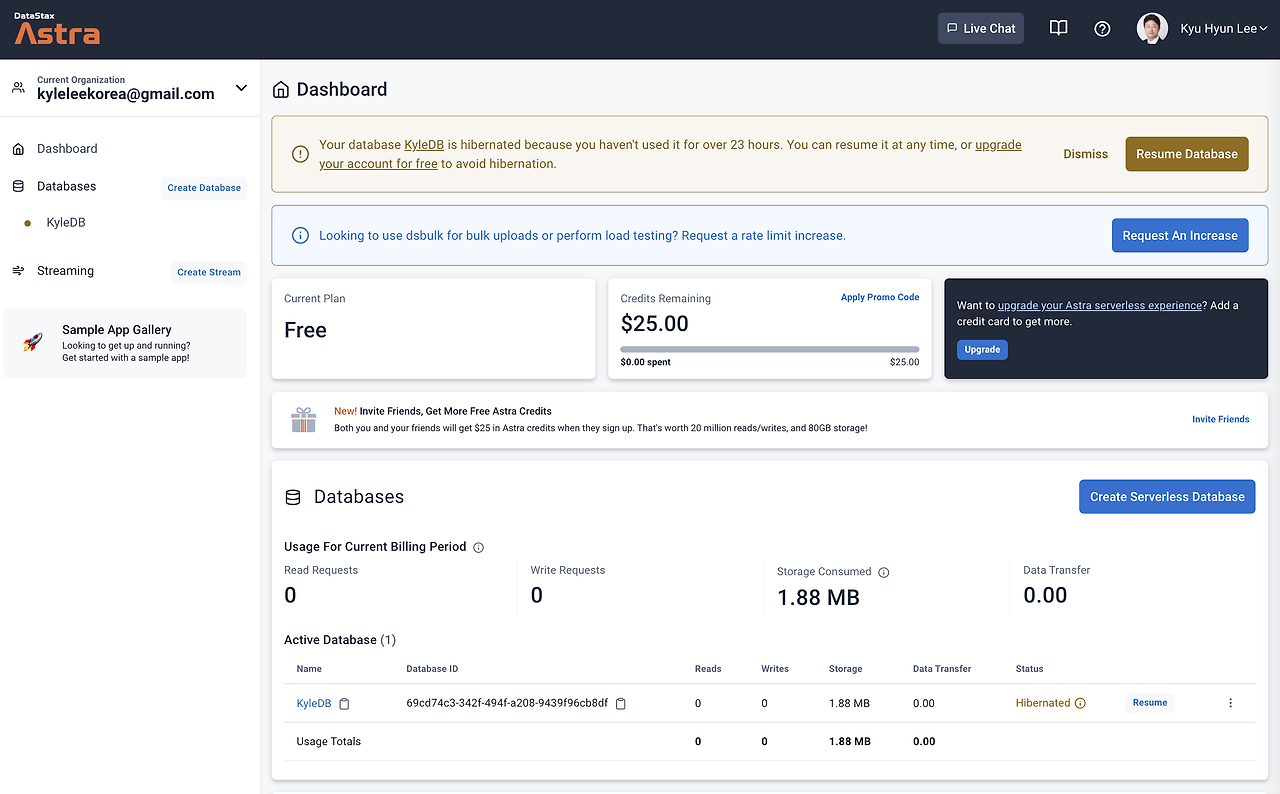
1. DataStax Astra(astra.datastax.com)
카산드라 DB를 시작할 수 있는 있는 가장 쉽고 빠른 방법, 데이터스택스 DBaaS(DB as a Service)인 Astra DB
2. IaaS - GCP(cloud.google.com)
2.1 우분투 버젼 확인
journeymanit@instance-1:~$ hostnamectl
   Static hostname: instance-1
         Icon name: computer-vm
           Chassis: vm
        Machine ID: 549d70bfbac61c109c84dc7d6a01e6a3
           Boot ID: 8d26a21372dd442abc4399ce3a04fd3b
    Virtualization: kvm
  Operating System: Ubuntu 18.04.6 LTS
            Kernel: Linux 5.4.0-1078-gcp
      Architecture: x86-64
2.2 JDK 설치 및 자바 버전 확인
journeymanit@instance-1:~$ $ sudo apt-get update && sudo apt-get upgradejourneymanit@instance-1:~$ sudo apt-get install openjdk-11-jdkjourneymanit@instance-1:~$ java -version
openjdk version "11.0.15" 2022-04-19
OpenJDK Runtime Environment (build 11.0.15+10-Ubuntu-0ubuntu0.18.04.1)
OpenJDK 64-Bit Server VM (build 11.0.15+10-Ubuntu-0ubuntu0.18.04.1, mixed mode, sharing)2.3 카산드라 Download 및 압축 해제
journeymanit@instance-1:~$ wget http://archive.apache.org/dist/cassandra/4.0-alpha4/apache-cassandra-4.0-alpha4-bin
.tar.gz
journeymanit@instance-1:~$ tar xvzf apache-cassandra-4.0-alpha4-bin.tar.gz2.4 카산드라 기동
journeymanit@instance-1:~/apache-cassandra-4.0-alpha4$ bin/cassandra -R
journeymanit@instance-1:~/apache-cassandra-4.0-alpha4$ OpenJDK 64-Bit Server VM warning: Option UseConcMarkSweepGC
was deprecated in version 9.0 and will likely be removed in a future release.
... 이하 생략 ...
2.5 카산드라 접속
journeymanit@instance-1:~/apache-cassandra-4.0-alpha4$ bin/cqlsh
Connected to Test Cluster at 127.0.0.1:9042.
[cqlsh 5.0.1 | Cassandra 4.0-alpha4 | CQL spec 3.4.5 | Native protocol v4]
Use HELP for help.
cqlsh> desc KEYSPACES;
system_auth    system_distributed  system_traces  system_virtual_schema
system_schema  system              system_views
cqlsh>
3. Docker - GCP(cloud.google.com)
3.1 도커 설치
journeymanit@instance-1:~$ sudo apt install docker.io3.2 카산드리 이미지 다운로드
journeymanit@instance-1:~$ sudo docker pull cassandra
Using default tag: latest
latest: Pulling from library/cassandra
d7bfe07ed847: Pull complete
caca7a4a00fe: Pull complete
b669251e1903: Pull complete
cf45eff8a02b: Pull complete
7cc26c186df9: Pull complete
48f949015080: Pull complete
46441dece7d1: Pull complete
8b712f6c074b: Pull complete
55374b5f9845: Pull complete
Digest: sha256:a4d9a99ef20b2c5f944dfe3559ca3d9eceb96922b3e97d897d1ae927fce3fbfe
Status: Downloaded newer image for cassandra:latest
docker.io/library/cassandra:latest
3.3 카산드라를 위해 네트워크 생성
journeymanit@instance-1:~$ sudo docker network create cass-network
b1acbbf6ced3d7a84ad1dda0f25ce8c081df62ef987796115066fdb7d0682e41
journeymanit@instance-1:~$
3.4 카산드라 인스턴스 기동
journeymanit@instance-1:~$ sudo docker run -d --name my-cassandra --network cass-network cassandra
3f8fd69db1140a5421c6a6eaacf98f20ca02fe64dec59d6cc40093d6666c95de
journeymanit@instance-1:~$
journeymanit@instance-1:~$ sudo docker ps
CONTAINER ID IMAGE COMMAND CREATED STATUS PORTS
NAMES
3f8fd69db114 cassandra "docker-entrypoint.s…" About a minute ago Up About a minute 7000-7001/tcp, 7199/tc
p, 9042/tcp, 9160/tcp my-cassandra3.5 카산드라 접속
journeymanit@instance-1:~$ sudo docker exec -it my-cassandra cqlsh
Connected to Test Cluster at 127.0.0.1:9042
[cqlsh 6.0.0 | Cassandra 4.0.4 | CQL spec 3.4.5 | Native protocol v5]
Use HELP for help.
cqlsh> desc KEYSPACES;
system       system_distributed  system_traces  system_virtual_schema
system_auth  system_schema       system_views
cqlsh>